Events
A lot of customization can be done either via event listeners, or by adding custom classes.
Just go with your personal preference.
Event listeners
- are a bit verbose.
- you can keep them all in one file.
- there is no need to touch the config files.
- are not threatened by breaking changes in the base classes.
Custom classes
- must be configured
- look a bit cleaner
- can benefit from inheritance (specific section -> base section holding your defaults)
- it can be a bit tricky to avoid duplicate code (hello, multiple inheritance..)
- can break if base classes are updated (type changes)
Modify Query
Custom modules can extend the configuration by adding keys to the custom section config array and modify the query via an event:
use wsydney76\contentoverview\events\ModifyContentOverviewQueryEvent;
use wsydney76\contentoverview\models\Section;


Event::on(
    Section::class,
    Section::EVENT_MODIFY_CONTENTOVERVIEW_QUERY,
    function(ModifyContentOverviewQueryEvent $event) {
        /** @var Section $sectionConfig */
        $sectionConfig = $event->sender;
        if (isset($sectionConfig->custom['tagline'])) {
            $event->query->tagline($sectionConfig->custom['tagline']);
        }

        // Add eager loading related elements that appear in info
        $event->query->with(['assignedTo ...'])
    }
);
Modify Collections
Every collection of models in the chain Pages -> Tabs -> Columns -> Sections -> Actions/Filters/TableColumns can be modified.
This is especially useful if you want to apply rules based on a users role and entry content.
| Event | Event Class | Property |
|---|---|---|
| ContentOverviewService::EVENT_DEFINE_PAGES | DefinePagesEvent | $pages |
| Page::EVENT_DEFINE_TABS | DefineTabsEvent | $tab |
| Tab::EVENT_DEFINE_COLUMNS | DefineColumnsEvent | $columns |
| Column::EVENT_DEFINE_SECTIONS | DefineSectionsEvent | $sections |
| Section::EVENT_DEFINE_ACTIONS | DefineActionsEvent | $entry, $actions |
| Section::EVENT_DEFINE_FILTERS | DefineFiltersEvent | $filters |
| TableSection::EVENT_DEFINE_TABLECOLUMNS | DefineTableColumnsEvent | $table, $tableColumns |
Add a handle to a model so that it can easily be identified in your event handler.
Additionally, you can add a custom setting to any model that contains arbitrary data.
All event properties are Collections, so they can be modified using all collection methods.
For convenience, all event classes have a user property containing the current user, and, where appropriate, a reference to their parent object.
For a better overview it is recommended to define all possible objects in your config files and filter out what is not needed, instead of adding stuff in your event handlers.
Examples:
Event::on(
    ContentOverviewService::class,
    ContentOverviewService::EVENT_DEFINE_PAGES,
    function(DefinePagesEvent $event) {
        if (!$event->user->can('yourpermission')) {
            $event->pages = $event->pages->filter(function($page) {
                return $page->handle !== 'workpage';
            });
        }
    }
);Event::on(
Section::class,
Section::EVENT_DEFINE_ACTIONS,
function(DefineActionsEvent $event) {
$event->actions = $event->actions->filter(function($action) use ($event) {
if ($action instanceof Action && $action->handle === 'publishAction') {
return $event->entry->status !== 'live';
}
return true;
});
}
);Support Custom Filters
Options can be set dynamically via an event:
use wsydney76\contentoverview\events\DefineCustomFilterOptionsEvent;
use wsydney76\contentoverview\models\Filter;
Event::on(
    Filter::class,
    Filter::EVENT_DEFINE_CUSTOM_FILTER_OPTIONS,
    function(DefineCustomFilterOptionsEvent $event) {
        if ($event->filter->handle === 'criticalreviews') {
            $event->filter->options->prepend([
                'label' => 'A new option',
                'value' => 'aNewOption'
            ]) ;
        }
    }
);
A custom module can apply filter params to the section query in an event handler, e.g.
use wsydney76\contentoverview\events\FilterContentOverviewQueryEvent;
use wsydney76\contentoverview\models\Section;

...

Event::on(
    Section::class,
    Section::EVENT_FILTER_CONTENTOVERVIEW_QUERY,
    function(FilterContentOverviewQueryEvent $event) {
        if ($event->handle === 'criticalreviews') {
            switch ($event->value) {
                case 'overdue':
                {
                    $event->query
                        ->workflowStatus('inReview')
                        ->dueDate('< now');
                    break;
                }
                case 'nextweek':
                {
                   //
                }
            }
        }

    }
    );
Modify Settings for Current User
Sometimes it makes sense to modify plugin settings for the current user, based on their role or preferences.
Currently implemented for the replaceDashboard, showPages, enableCreateInSlideoutEditor settings.
The event contains $key and $value properties.
Event::on(
    Settings::class,
    Settings::EVENT_DEFINE_USER_SETTING,
    function(DefineUserSettingEvent $event) {
        $currentUser = Craft::$app->user;

        // Give users a custom field so that they can decide whether to see links in the main nav or in sidebar
        // depending on their screen size
        if ($event->key === 'showPages') {
            $showPages = $currentUser->identity->showContentoverviewPages->value ?? 'default';
            if ($showPages !== 'default') {
                $event->value = $showPages;
            }
        }

        // Always show dashboard for admins
        if ($event->key === 'replaceDashboard') {
            if ($currentUser->getIsAdmin()) {
                $event->value = false;
            }
        }
    }
);
Define images
Event example:
use wsydney76\contentoverview\models\Section;
use wsydney76\contentoverview\events\DefineImageEvent;
...
Event::on(
    Section::class,
    Section::EVENT_DEFINE_IMAGE,
    function(DefineImageEvent $event) {
        /** @var Entry $entry */
        $entry = $event->entry;
        if ($entry->section->handle === 'film') {
            // TODO: improve performance, load/cache fallback images in advance
            $event->image = $entry->featuredImage->one() ??
                $entry->series->one()->featuredImage->one() ??
                GlobalSet::find()->handle('siteInfo')->one()->featuredImage->one() ??
                null;
        }
    }
);
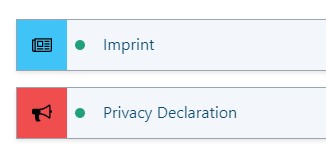
Define Icons
Event example:
// Section config
->icon('@appicons/newspaper.svg')
->iconBgColor('var(--blue-400')// Custom module
use wsydney76\contentoverview\models\Section;
use wsydney76\contentoverview\events\DefineIconEvent;
...
Event::on(
Section::class,
Section::EVENT_DEFINE_ICON,
function(DefineIconEvent $event) {
if ($event->entry->type->handle === 'privacy') {
$event->icon = '@appicons/bullhorn.svg';
$event->iconBgColor = 'var(--red-400)';
}
}
);
Get Section Config for Ajax requests
This is only relevant if you are using a custom Page model that does not read its config from a page config file.
In order to enable ajax requests for a section, like refreshing its html, a sectionPath identifier is handled internally, in the form of pageKey-tabIndex-columnIndex-sectionIndex, e.g. page1-0-1-3.
The ajax controller then gets the section config from the corresponding page config file.
However, if a plugin uses its own page model without using a config file, this will fail.
In this case a plugin can inject the section config model via an event:
Event::on(
    ContentOverviewService::class,
    ContentOverviewService::EVENT_GETSECTIONBYPATH,
    function(GetSectionByPathEvent $event) {
        if ($event->sectionPath ===  'package-0-0-0') {
            $event->section = $co->createSection(MyCustomSection::class);
        }
    }
);